 FaLe PDF
Free · no account · your files stay on your device
Sign a PDF
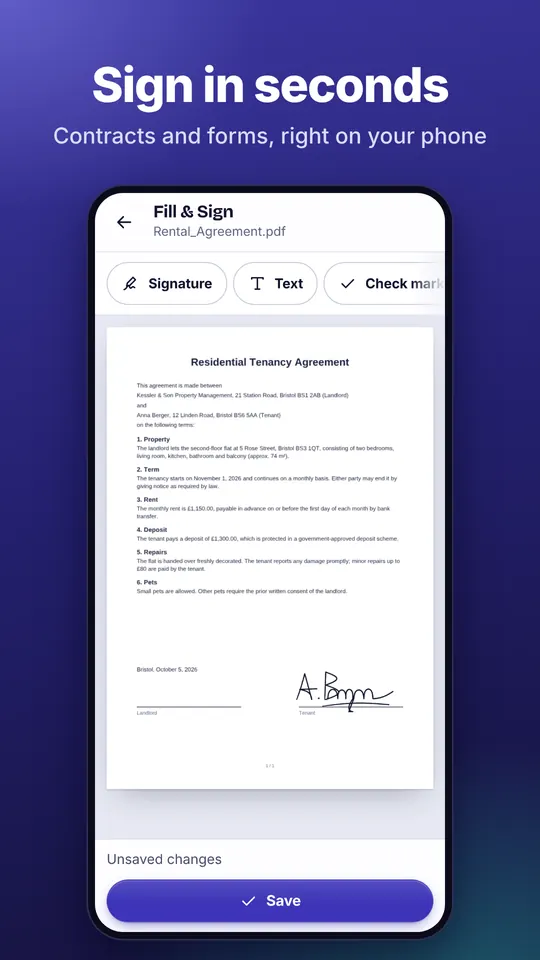
Draw your signature with your finger or mouse and place it in any PDF with one tap – contract, form or power of attorney.
How it works
- Open the PDF Open the PDF in FaLe PDF and choose “Fill & Sign”.
- Draw your signature Tap “Signature” and draw it once. FaLe remembers it for next time.
- Place and save Tap the line, adjust it with “Larger” or “Smaller” and tap “Save”.
Why FaLe PDF
- Stays with youYour signature and the document are processed on your device – nothing is uploaded.
- More than a signatureAdd text, the date, check marks, initials and your own stamps just as easily.
- No subscriptionSigning is free and stays free – no watermark, no account.
Frequently asked questions
Is the signature legally valid?
You add a simple electronic signature – like on paper, only digital. That is enough for many everyday documents. Where the law requires a special form (for example a qualified signature), that form applies.
Is my signature stored?
Only on your device, so you can place it with one tap next time. You can delete it at any time.
Does it work on a computer?
Yes. FaLe PDF runs in the browser and can be installed as an app on Windows and Mac. On a computer you draw with the mouse or touchpad.
Can I fill in form fields too?
Yes. If the PDF has form fields, you fill them in the same step and sign afterwards.
Try it now
FaLe PDF runs in the browser, on your phone and on your computer. Every feature is free.