 FaLe PDF
Free · no account · your files stay on your device
Scan a document with your phone
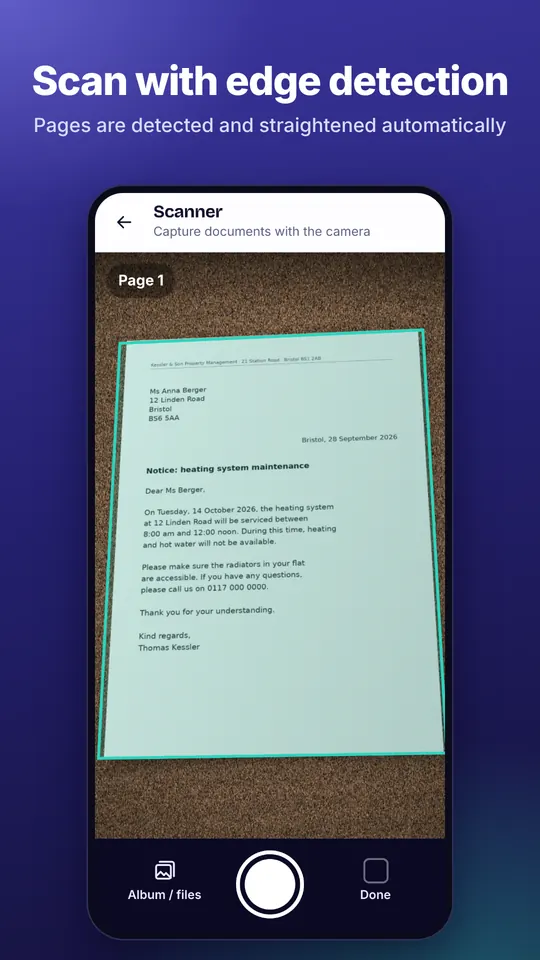
Hold your phone over the paper – FaLe finds the page, straightens it and turns it into a clean PDF.
How it works
- Take a photo Open the scanner and hold your phone over the page. The edges are detected automatically.
- Check it Adjust the corners if needed and choose a filter such as “Enhanced” or “Black & white”.
- Save as PDF Tap “Save PDF”. If you like, the name is suggested from the content.
Why FaLe PDF
- Straight and readableSkewed photos are straightened, and filters such as “Enhanced” brighten shadows and grey backgrounds.
- SearchableText recognition (German and English) runs on your device – afterwards you find every word.
- Several pagesScan as many pages as you like into one PDF and reorder them with a tap.
Frequently asked questions
Do I need internet?
No. Only text recognition downloads its language data once the first time; after that everything works offline.
How is the file name chosen?
If you leave the name field empty, FaLe suggests a name from the content after text recognition. You can change it with one tap.
Can I use photos from my gallery?
Yes. Choose “From album / files” and pick existing pictures.
Is there an ID card mode?
Yes. “Scan ID card” puts the front and back at their original size on one A4 page.
Try it now
FaLe PDF runs in the browser, on your phone and on your computer. Every feature is free.